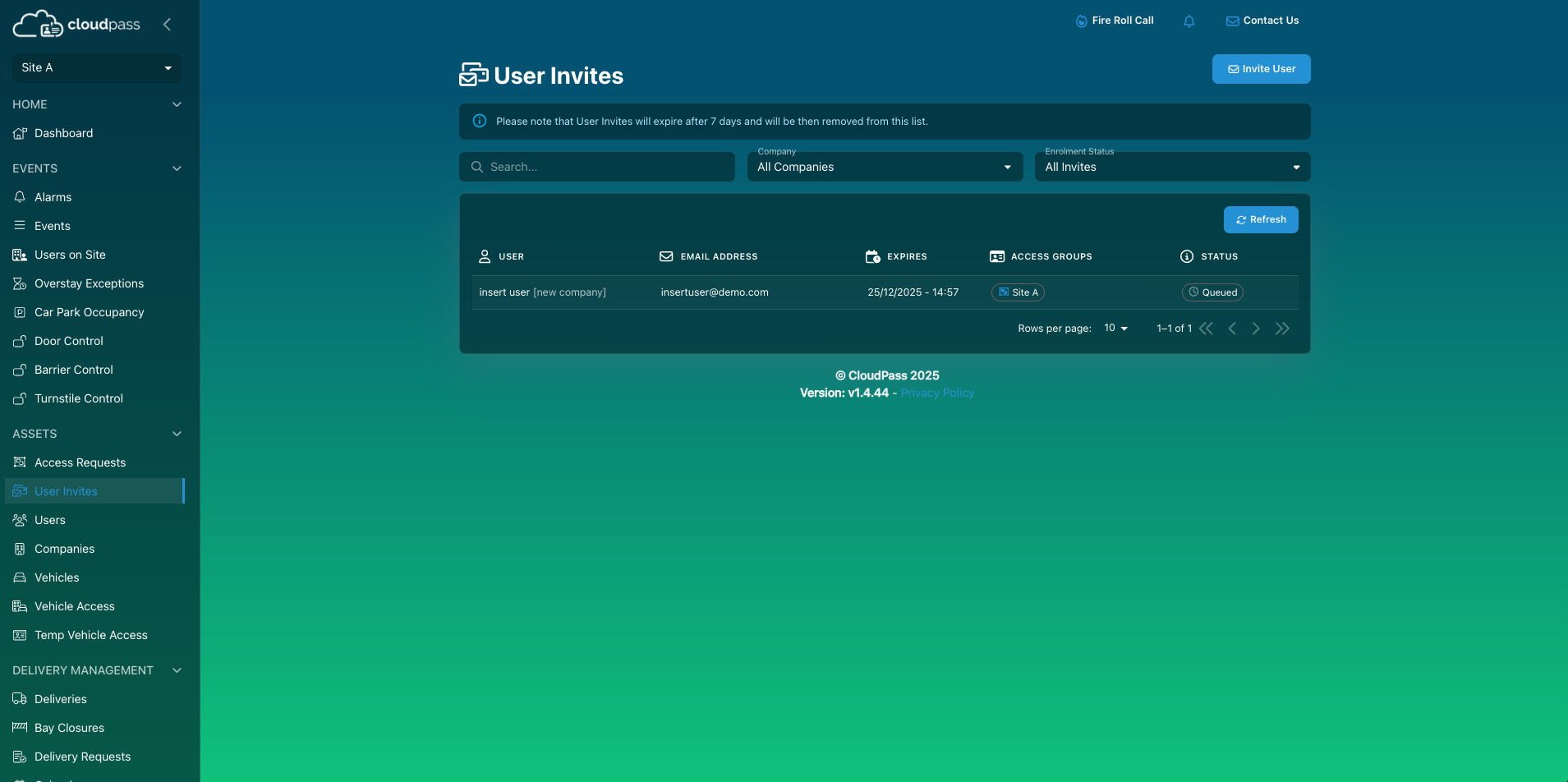
- Select User Invites
- Select Invite User
- Insert details requested
- +/Add Company if needed
- Select Access
- If needed, amend end date
- Select Save
- Select Send Invite
Progress of the operative can be found via the User Invites tab - see status
- Queued (Invitation sent)
- Bounced (invitation failed to send- likely incorrect email address)
- Enrolment Started
- Enrolment Complete
Was this article helpful?
That’s Great!
Thank you for your feedback
Sorry! We couldn't be helpful
Thank you for your feedback
Feedback sent
We appreciate your effort and will try to fix the article